For organizations handling contracts and forms
Request QES
Every EUDI Wallet can create qualified electronic signatures (QES). Send a contract, consent form or agreement to the person who needs to sign it, and they sign it in their wallet in a few taps — no separate signing app, no printing, no scanning. The signature has the same legal effect as a handwritten one across the EU.
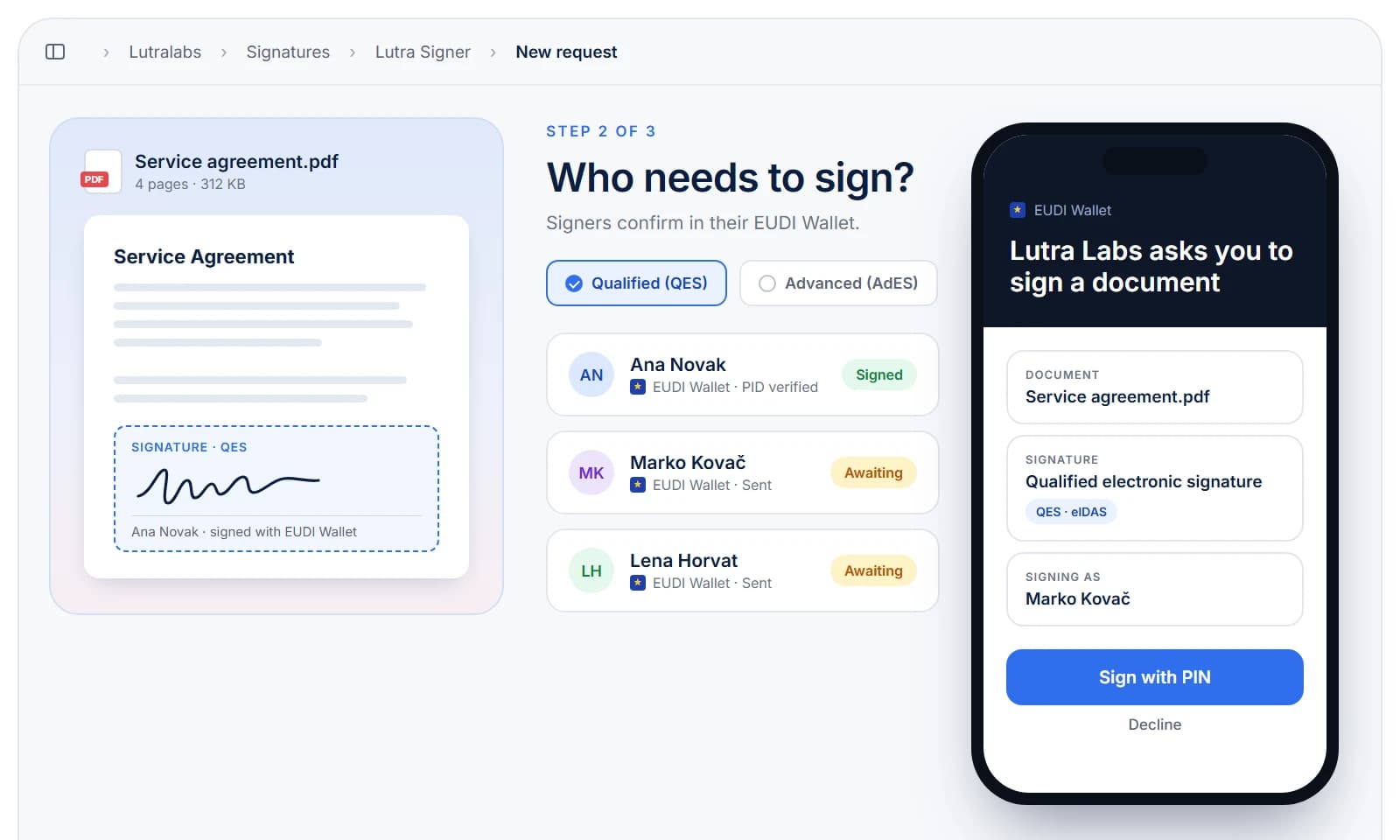
- Equal to a Handwritten Signature
- Under eIDAS, a qualified electronic signature has the same legal effect as a handwritten signature and is recognised in every EU member state.
- Signed in the EUDI Wallet
- eIDAS 2.0 requires every EUDI Wallet to create qualified signatures, so signers use the wallet they already have instead of installing a separate signing app.
- Identity Bound to the Signature
- The signer is identified with the person identification data (PID) in their wallet, so you know who signed — not only that someone did.
- Online & In Person
- Hand over a request as a link, an email or a QR code — remotely or at the counter — and the signer completes it on their phone.
- Standard Signature Formats
- Signed documents come back in standard AdES formats, such as PAdES for PDF, so any eIDAS validation tool can check them.
- Qualified Trust Services
- Signatures are created with qualified certificates from trust service providers on the EU trusted lists, inside a qualified signature creation device.
How it works
From document to qualified signature in four steps.
- 1
Upload the document
Add the PDF that needs signing and choose who has to sign it.
- 2
Send the request
Share the request as a QR code, a link or an email.
- 3
Sign in the wallet
The signer reviews the document in their EUDI Wallet and confirms with their PIN or biometrics.
- 4
Receive the signed document
The document comes back with a qualified electronic signature, ready to store or pass on.
Additional tools
Everything around the signature
The signature is one step. Here's what keeps a signing workflow moving — from sending requests to keeping the evidence.
- REST API Integration
- Create signing requests from your own systems and receive the signed document on a webhook the moment it is ready.
- Multiple Signers
- Collect signatures from several people on one document, in the order you set.
- Request Tracking
- See which requests are sent, opened, signed or declined, and follow up where a signature is still missing.
- Complete Audit Trail
- Every request and signature is timestamped and logged, so you can show who signed what, and when.
- Signature Validation
- Check the signatures on documents you receive against the EU trusted lists before you rely on them.
Start requesting signatures
Ready to collect qualified signatures from EUDI Wallets?
Replace printed, signed and scanned paperwork with qualified electronic signatures your signers create in the wallet they already carry.